
Website graphic
Isuka EX character guide
12 January 2005
Open the full-size image (496 × 475 pixels)
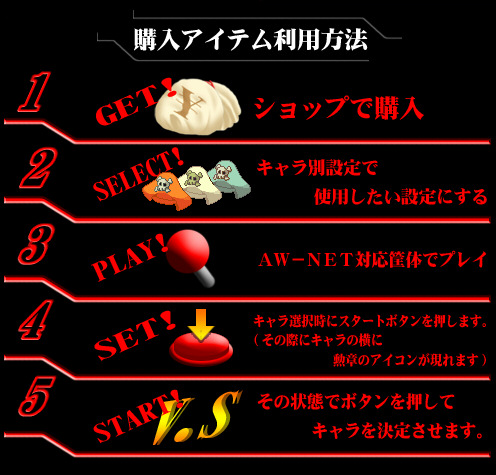
AW-NET's illustrated guide to EX characters and colours: buy them in Web Garage's shop, switch them on in the character's settings, then at an online cabinet hold Start on the character-select screen until the emblem appears.
English reading
| English |
|---|
| How to use purchased items |
| 1. Buy the item in the Shop. |
| 2. Select the settings you want to use in the character-specific settings. |
| 3. Play on an AW-NET-enabled cabinet. |
| 4. Press Start during character selection. A medal icon appears beside the character. |
| 5. While in that state, press a button to confirm your character. |